
If you need to access the dashboard for a particular customer, you can find it in the Customer Experience dashboard
Go to https://customerexperience.enginehire.io/login/154
If you don’t already have a log in, ask Aakash or Mary or anyone established on the team to create a login for you.
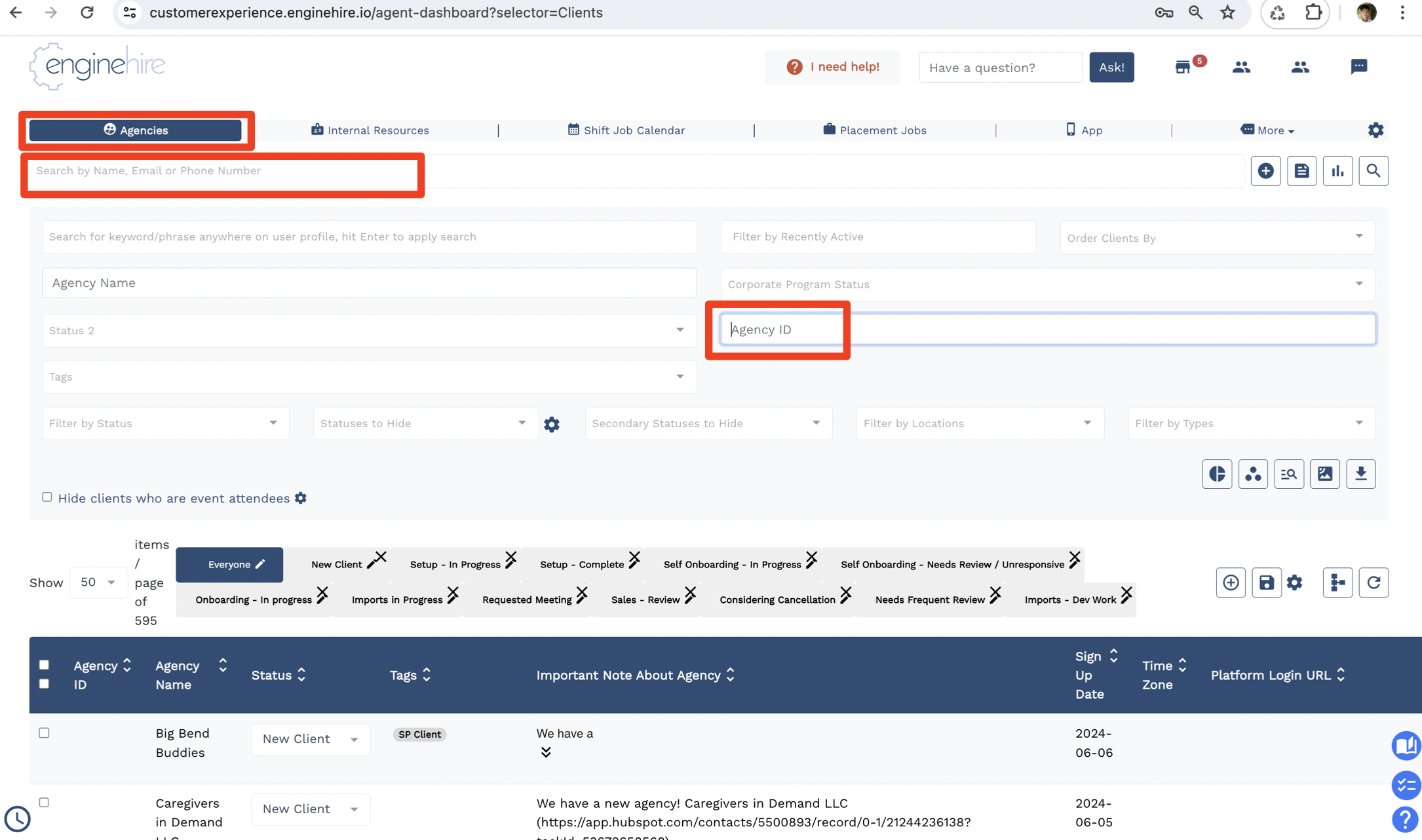
Once you have credentials, login, and go to the Agencies tab, where you can search by agency name or ID
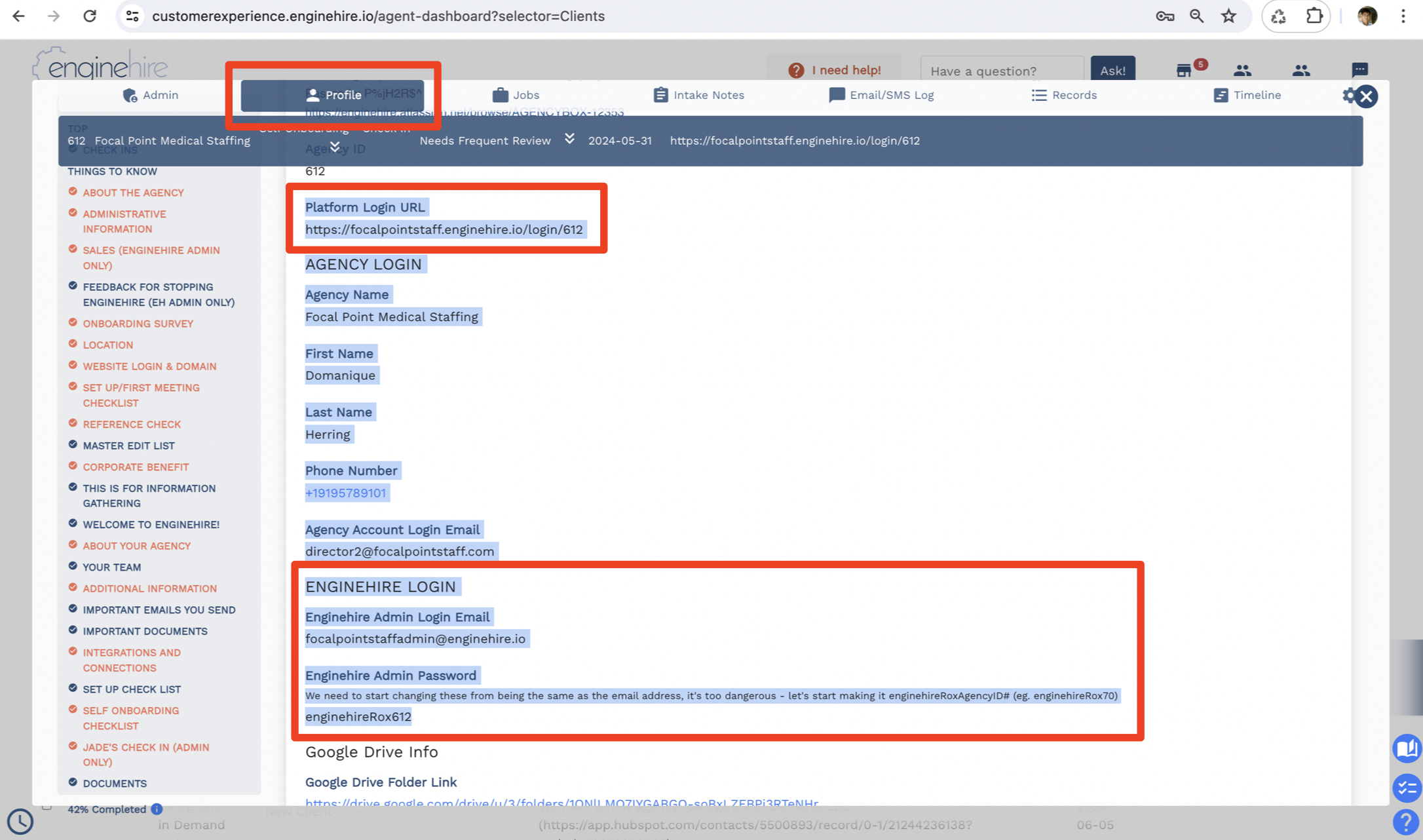
Go to their Profile tab and look for the platform login URL and Enginehire login credentials:
Please be very careful in the customer accounts!!