
1. From Mission Control select Templates.
2. Select Document Templates.
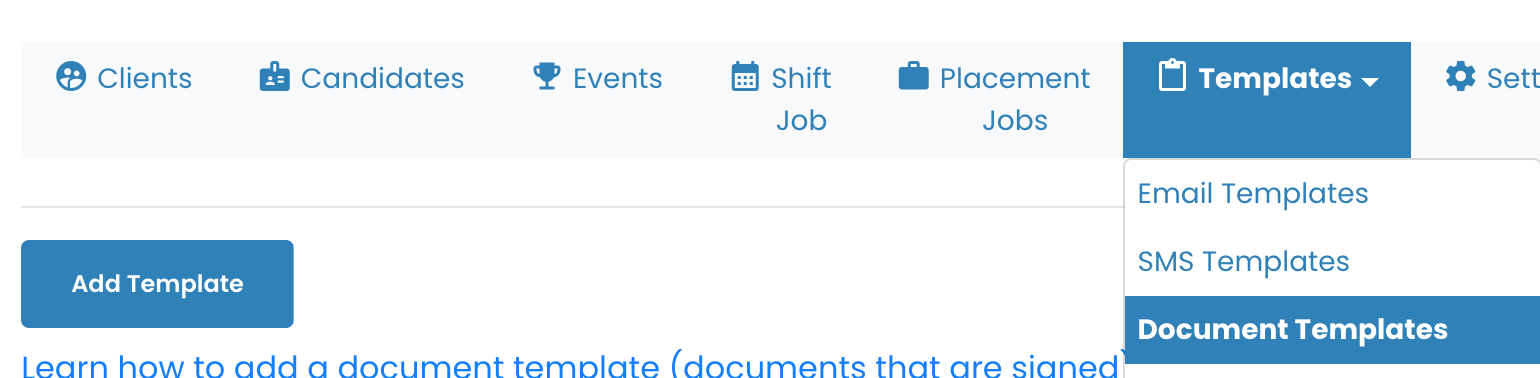
3. Add Template or select the Document the needs adjustments.
4. Select Advanced Settings.
5. Select Allow user to edit document before signing.
{% video_player “embed_player” overrideable=False, type=’hsvideo2′, hide_playlist=True, viral_sharing=False, embed_button=False, autoplay=False, hidden_controls=False, loop=False, muted=False, full_width=False, width=’500′, height=’266.7151162790698′, player_id=’161525251601′, style=” %}
6. Select a User, add the document to their profile.
7. When they login, they will be able to select Edit or Sign. (The video below is in Admin view which allows for every option.)
8. If they update the article and select Save, the adjustments will be visible.
{% video_player “embed_player” overrideable=False, type=’hsvideo2′, hide_playlist=True, viral_sharing=False, embed_button=False, autoplay=False, hidden_controls=False, loop=False, muted=False, full_width=False, width=’500′, height=’266.7151162790698′, player_id=’161522358864′, style=” %}