
Nanny agency software
Run your nanny agency from one system.
Enginehire puts your applicant tracking and your client CRM in one system. Candidates and families each get their own login.
Trusted by staffing agencies.






Explore Enginehire
What Enginehire does for your agency
01 / THE SOFTWARE
01 / 05
Track every applicant in one view
The ATS is a visual database where you can filter applicants and assign recruiters. You can also take bulk actions on many applicants at once.
Applicant tracking
Applicant database
Filters and recruiter actions
Applicant status
02 / 05
Match caregivers with families using your own rules
You create matching workflows with your own rules for pairing candidates and clients. Candidates can build portfolios from ready-made templates.
Matching
Candidate portfolio
Your matching rules
Family
03 / 05
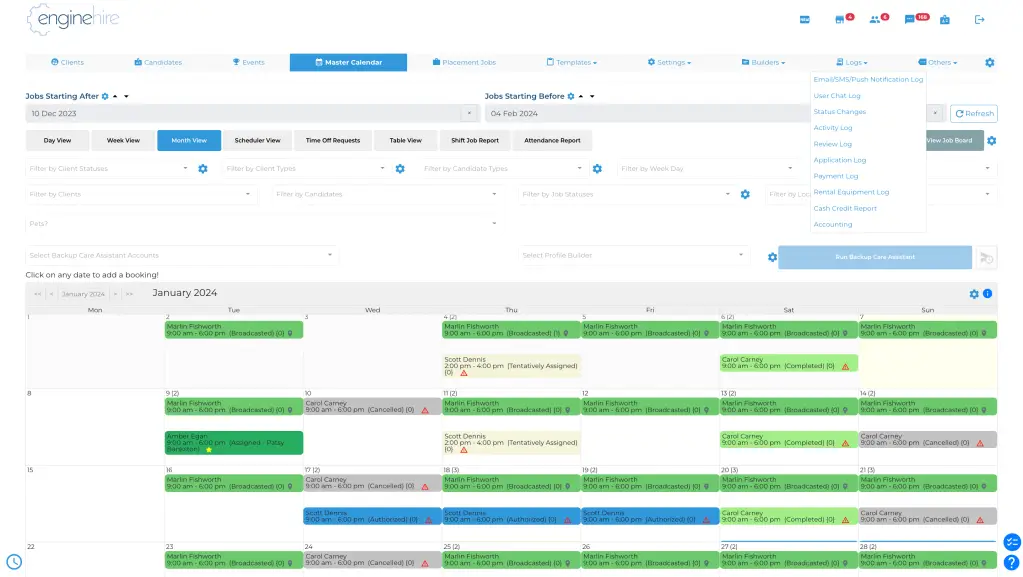
Handle job orders from one dashboard
A single dashboard lets you track and filter incoming job orders. From there, you can view the applicants for each job.
04 / 05
Send messages automatically
Enginehire can send messages when a candidate or client takes an action in your system. You can still contact people by hand, and you can send marketing emails from the same place.
Communications
Candidate or client action
Your message rules
Message sent
05 / 05
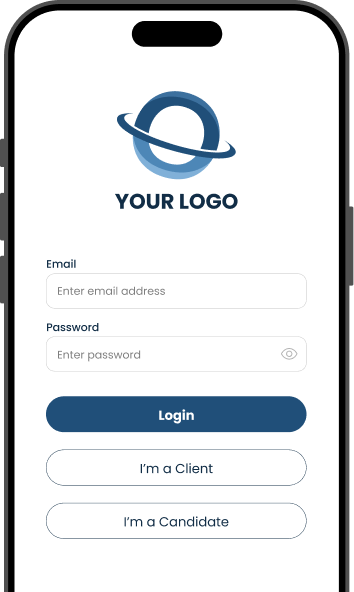
Give families and candidates an app with your brand
Your agency can have its own branded app for candidates and clients. Families can book with one tap and sign contracts in the app.
See the workflow
See how the work connects across your agency.
Choose a step to see how it works.
01 / 04
Start with a view of your applicants.
The ATS is a visual database where you can filter applicants and assign recruiters.
Applicants
Applicant database
Filters and recruiter actions
Applicant status
02 / 04
Use the matching rules you choose.
You create matching workflows with your own rules for pairing candidates and clients.
Matching
Candidates and families
Your matching rules
Candidate portfolios
03 / 04
See the work coming in.
A single dashboard lets you track and filter incoming job orders. From there, you can view the applicants for each job.
Jobs
Incoming job order
Job dashboard
Applicants for the job
04 / 04
Let actions start the next message.
Enginehire can send messages when a candidate or client takes an action in your system.
Messages
Candidate or client action
Your message rules
Message sent
What customers say.

“They are quick to respond, so helpful, love the assistance when setting it up. Great company!”
Doula & Nanny Agency
Individual & Family Services
October 17, 2023
“Their customer support is top-notch, always responsive and ready to help.”
CEO
August 23, 2024
“It has been great getting set up and learning the platform and what it can do.”
Operations Manager
Hospital & Health Care
April 4, 2024
“It has made the running of my business easier, quicker, and more professional. The clients love it as well!”
Founder and CEO
Individual & Family Services
November 14, 2023
“I love that everything is in one system. It helps to cut down on time and customer service is amazing!”
Owner
Staffing & Recruiting
November 14, 2023
Support from the start
You have help as you get started.
A dedicated onboarding manager
Every agency has a dedicated onboarding manager.
Help with your data move
The Enginehire team helps you transfer your data from your current system.
Live support and tutorials
You can reach live support nearly 24/7, and you can use the tutorials and lessons at any time.
Ask about your current system and the way your agency works.
Your demo
How the demo works
01
Fill in the short form.
It asks for your name and email, plus a few details about your agency.
02
Pick a time on the calendar.
Choose a time and enter your details on Enginehire’s booking page.
03
Join the call.
We walk you step by step through the process a candidate and a client would follow in your system. We also show you the tools you would use to manage and automate the work.
Before your demo
Frequently asked questions
Can families find my app in the app stores?
Your branded app can show up when families search the App Store and Google Play. That gives families another way to find your agency.
What support do I get?
Every agency has a dedicated onboarding manager. You can reach live support nearly 24/7, and you can use the tutorials and lessons at any time.
Can I move my data from another system?
Yes. The Enginehire team helps you transfer your data from your current system.
What tools does Enginehire connect to?
Enginehire lists integrations with tools like Zapier and Stripe, among many others. You can ask for the full list on your demo.
See how Enginehire would work for your agency
Book a demo, and we will show you the system from the side of a candidate and a family.
Book a demo