Best Billing Software for Childcare: Features, Benefits, and How to Choose
Managing payments is one of the most time-consuming parts of running a childcare business. From recurring tuition and attendance-based charges to late payments, refunds, subsidies, and additional services, there are plenty of details to keep track of.
When billing is handled manually, even a small mistake can lead to incorrect invoices, delayed payments, extra administrative work, and frustrated parents.
That is why choosing the best billing software for childcare can make a significant difference. The right system can automate routine financial tasks, give families a clearer view of what they owe, and help administrators maintain more accurate records.
In this guide, we’ll look at the key features to consider, the benefits of billing automation, and what to look for when choosing a solution for your childcare operation.
Why Childcare Businesses Need Dedicated Billing Software
 Childcare billing isn’t always as straightforward as sending a monthly invoice.
Depending on your business model, you may need to manage:
- Weekly, biweekly, or monthly payment schedules
- Full-time and part-time enrollment
- Attendance-based charges
- Late fees
- Extra activity charges
- Refunds and credits
Trying to manage all of these manually through spreadsheets, emails, or separate payment platforms creates unnecessary work.
A dedicated billing system brings these processes together so your team can spend less time calculating charges and following up on payments.
It also gives parents a more convenient way to view invoices, review payment history, and make payments online.
What to Look for in Childcare Billing Software
Not all billing systems are built for childcare, so it’s important to choose software designed specifically for this sector. The following features are essential in the Best Billing Software for childcare.
1. Automated Invoice Generation
Creating invoices manually every billing cycle takes time and increases the risk of errors.A good billing platform should allow you to create billing schedules and automatically generate invoices based on your rules. This can be especially helpful for recurring tuition, scheduled services, and regular childcare payments.
2. Integrated Attendance Tracking
For some childcare businesses, the amount a family owes depends on attendance, hours worked, or the services used. Connecting attendance information with billing can eliminate repetitive data entry and reduce calculation errors. Instead of manually reviewing attendance records and adjusting invoices, the system can use relevant information to help calculate charges more efficiently.
3. Flexible Payment Options
Parents expect convenient ways to pay. Depending on your requirements, your billing platform may need to support options such as:
- Credit and debit cards
- ACH or bank payments
- Online payments
- Recurring payments
- Other digital payment methods
4. Parent Payment Portal
A parent-facing portal can make billing much more transparent. Instead of contacting your administrative team every time they have a question, parents can log in to review information such as:
- Current invoices
- Previous payments
- Receipts
- Outstanding balances
- Upcoming charges
- Payment information
5. Automatic Payment Reminders
Following up on unpaid invoices can become a major administrative burden. Automated reminders can notify parents before or after a payment is due. This allows your team to maintain a consistent collection process without having to manually send individual messages. A good system should also make it easy to identify outstanding balances so administrators know where attention is needed.
6. Support for Discounts, Credits, and Split Payments
Childcare billing can involve more than a simple fixed fee. Your software may need to accommodate discounts, credits, subsidies, shared payments, refunds, or other adjustments. The more flexible the billing rules are, the easier it becomes to handle different family arrangements without relying on manual calculations.
7. Financial Reporting
Billing software should do more than collect payments. Reporting tools can help administrators understand:
- Total revenue
- Outstanding balances
- Payment activity
- Recurring income
- Invoice status
- Financial trends
8. Secure Data Protection
Billing systems handle sensitive financial and personal information, so security should be a priority. When evaluating a provider, look at how it protects customer data, manages access, stores information, and handles payment-related details. Your billing platform should also provide appropriate controls for administrators and staff members who need access to financial information.

Benefits of Automating Childcare Billing
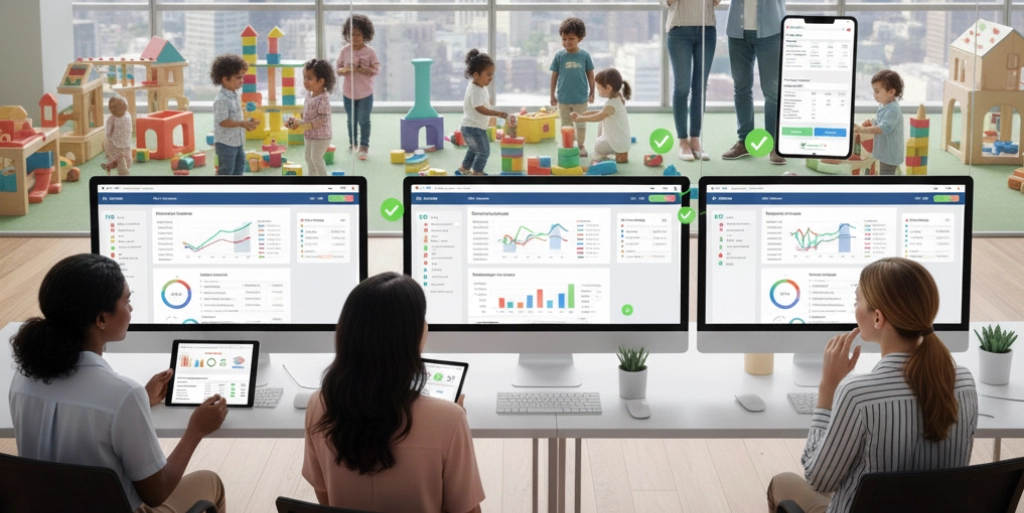
Moving from manual processes to automated billing can improve both the administrative experience and the parent experience.
1. Save Administrative Time
Creating invoices, checking payment status, sending reminders, and updating records can consume hours every month. Automation handles many of these repetitive tasks, allowing administrators to focus on enrollment, family communication, staff coordination, and other important responsibilities.
2. Reduce Human Error
Manual calculations and data entry leave room for mistakes. Automated workflows can standardize billing rules and reduce the number of calculations your team has to perform manually. Fewer errors can also mean fewer billing disputes and less time spent correcting invoices.
3. Improve Cash Flow
Late payments can create challenges for any childcare business. Online payment options, recurring billing, and automated reminders make it easier for families to pay on time while giving administrators better visibility into unpaid accounts.
4. Make Billing Easier for Parents
Parents don’t want to search through emails or contact the office every time they need a receipt or payment record. A centralized portal provides a convenient place to access billing information and complete payments. A smoother payment experience can contribute to better communication and stronger relationships with families.
5. Improve Financial Visibility
When billing information is spread across spreadsheets, emails, bank accounts, and payment platforms, it can be difficult to understand the complete financial picture. Centralized reporting gives administrators a clearer view of revenue and outstanding payments.
How to Choose the Best Billing Software for Childcare
The right solution depends on how your childcare business operates. Before making a decision, consider the following questions.
- What Type of Billing Do You Use?
- How Many Families Do You Manage?
- Do You Need Automated Recurring Payments?
- Do You Need Attendance Integration?
- Do Parents Need Online Access?
- Do You Need More Than Billing?
Common Billing Problems a Good System Can Solve
 Childcare providers often turn to automation because of recurring operational challenges. A well-designed billing platform can help address issues such as:
- Missing invoices
- Missing or delayed invoices
- Incorrect fee calculations
- Unpaid balances
- Repetitive payment follow-ups
- Manual spreadsheet management
- Duplicate data entry
- Limited financial reporting
- Difficulty tracking payment history
- Confusion around adjustments and credits
- Poor visibility for parents
The goal isn’t simply to replace one invoicing method with another. The real value comes from creating a more organized financial workflow.
Why Automation Matters for Growing Childcare Businesses
As a childcare operation grows, administrative complexity usually grows with it.
More families mean more invoices, more payments, more questions, and more records to maintain.
Without automation, businesses often respond by adding more manual processes. That can increase workload without necessarily improving efficiency.
Automation takes a different approach. Instead of adding more administrative work as the business grows, it allows technology to handle repeatable tasks.
This can make billing more scalable while giving administrators more time to focus on the areas where human interaction matters most.
How Enginehire Can Help
For childcare businesses looking for the best billing software for childcare, Enginehire provides billing and payment tools designed to simplify administrative workflows. The platform brings several financial processes together, helping businesses reduce manual work and create a more organized payment experience.
Key capabilities include:
- Automated invoicing
- Attendance-based billing
- Online payment options
- Recurring payments
- Custom billing plans
- Fee management
- Financial reporting
- Automated payment reminders
- A secure parent portal
- Administrative support
Conclusion
Choosing the best billing software for childcare is about finding a solution that fits the way your business operates. Look beyond basic invoice creation. Consider recurring payments, attendance-based billing, payment reminders, parent access, reporting, security, and the ability to scale as your operation grows. The right technology can turn billing from a repetitive administrative task into a streamlined part of your daily workflow. If you’re ready to simplify payments, reduce manual work, and give families a more convenient billing experience, Enginehire can help you build a more efficient process. Ready to Simplify Your Billing?
Discover how Enginehire can help streamline invoicing, payments, reporting, and other administrative workflows.
Book a personal demo to see how Enginehire works for your business.
Discover How Enginehire Can Simplify Your Center with the Best Billing Software for Childcare
See Why Centers Call Enginehire the Best Billing Software for Childcare

Sarah M.
When I first spoke with Enginehire I thought the price was a little steep and almost did not move forward. Ever since then the price is worth every penny. If I ever need anything updated, they respond almost immediately with a solution. They are continuously working to keep the system updated and always adding new features
View Enginehire Reviews

Debra Fortosis
I have used two other management platforms and I can tell you that Enginehire is the best. Want a one-stop shop? You can match people to jobs, build resumes directly from their profiles, and so much more in seconds. Enginehire has saved me money by saving me time.
View Enginehire Reviews

James McCrossen
Enginehire has been a game-changer for my agency. One of the biggest standouts is their tech support. Using Enginehire has genuinely helped me become more efficient and streamlined our operations. Highly recommend it to any agency owner looking to level up.
View Enginehire Reviews

Amelia D’Urso
I should have done this months ago. I waited out of fear and concern that automation wouldn’t be the right fit for such a personalized service. I was so wrong and I’m kicking my past self for waiting! Any agency that is on the fence or considering Enginehire should just take the plunge. It is worth every penny!
View Enginehire Reviews

Lydia B – Owner of
The Enginehire Team have been excellent to work with and provide phenomenal customer service . Their knowledge of the industry and individual customization is unparalleled and their platform has revolutionized the way that my team does business.
View Enginehire Reviews

Ruka Curate
We have used so many platforms. From iCims to Bullhorn, to trying to create ones ourselves with Zoho, Asana, Monday.com, Trello, and Airtable. They just did not work for our industry. Enginhire has created a logical system that is simple to use with lots of amazing features. I am so glad we found them.
View Enginehire Reviews

George Johnson
The software is brilliant, it is the only one we could find in our 4 years of looking that would do exactly what we wanted. It has honestly taken a huge amount of admin of our hands. It is is almost 100% customisable.

Deniz Hanson
The Enginehire team was absolutely wonderful to work with; professional, dedicated, and supportive. I cannot recommend Enginehire enough if you’re looking for a way to streamline your processes and work with a patient and understanding team.
View Enginehire Reviews
Trusted By Hundreds of Staffing Agencies as the Best Billing Software for Childcare